
Hiddify Android Download and Installation Guide
Download Hiddify for Android, import a subscription, start the VPN connection, and enable TUN mode.
Hiddify is a cross-platform proxy client with an Android build that also works on compatible HarmonyOS devices.
Open the official releases page ↗
Download Hiddify for Android
Hiddify is a client, not a proxy service. You still need a valid subscription URL or configuration file.
Install and configure
- Download and install the APK. If Android blocks the installation, allow installation from the browser or file manager you used.
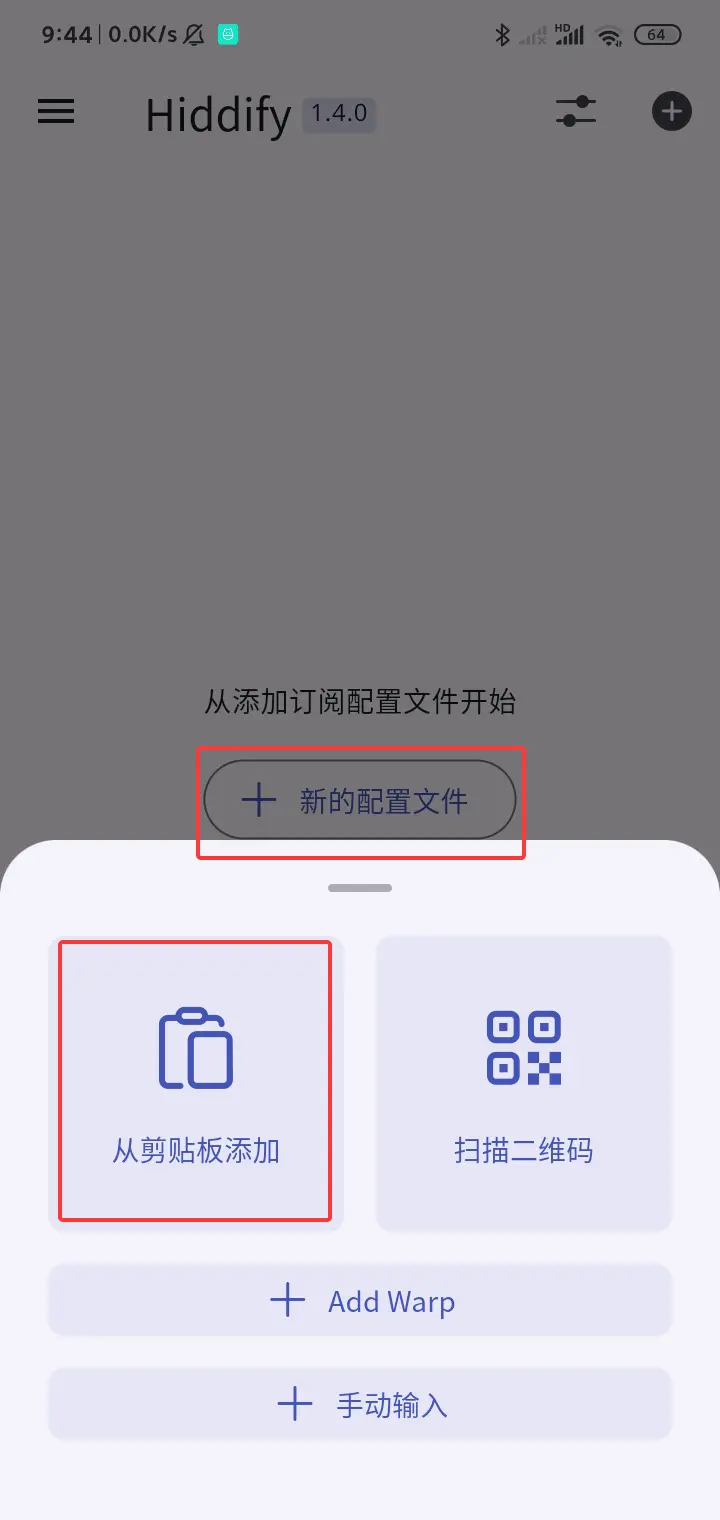
- Open Hiddify and add the subscription URL supplied by your provider.
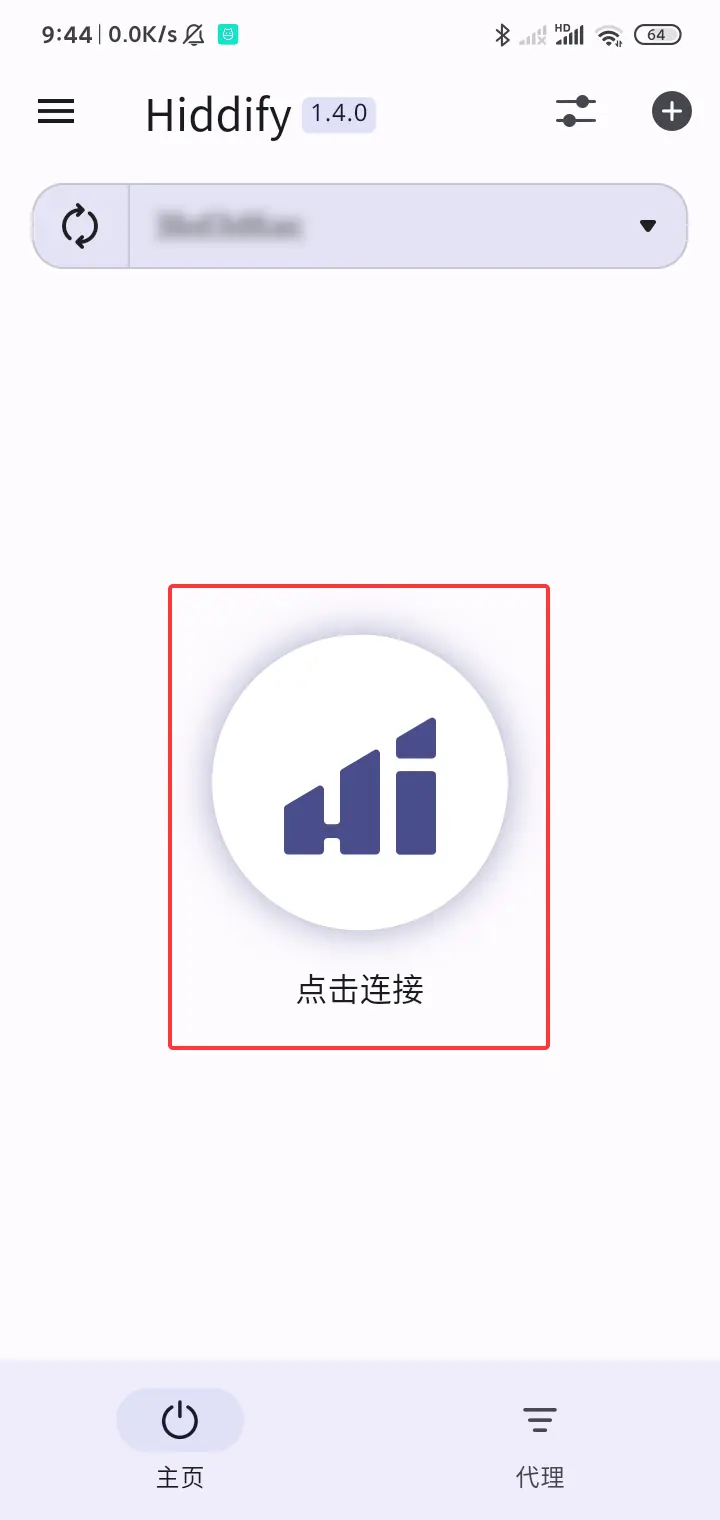
- Select the imported profile and start the connection. Approve the Android VPN prompt when it appears.
Enable TUN mode
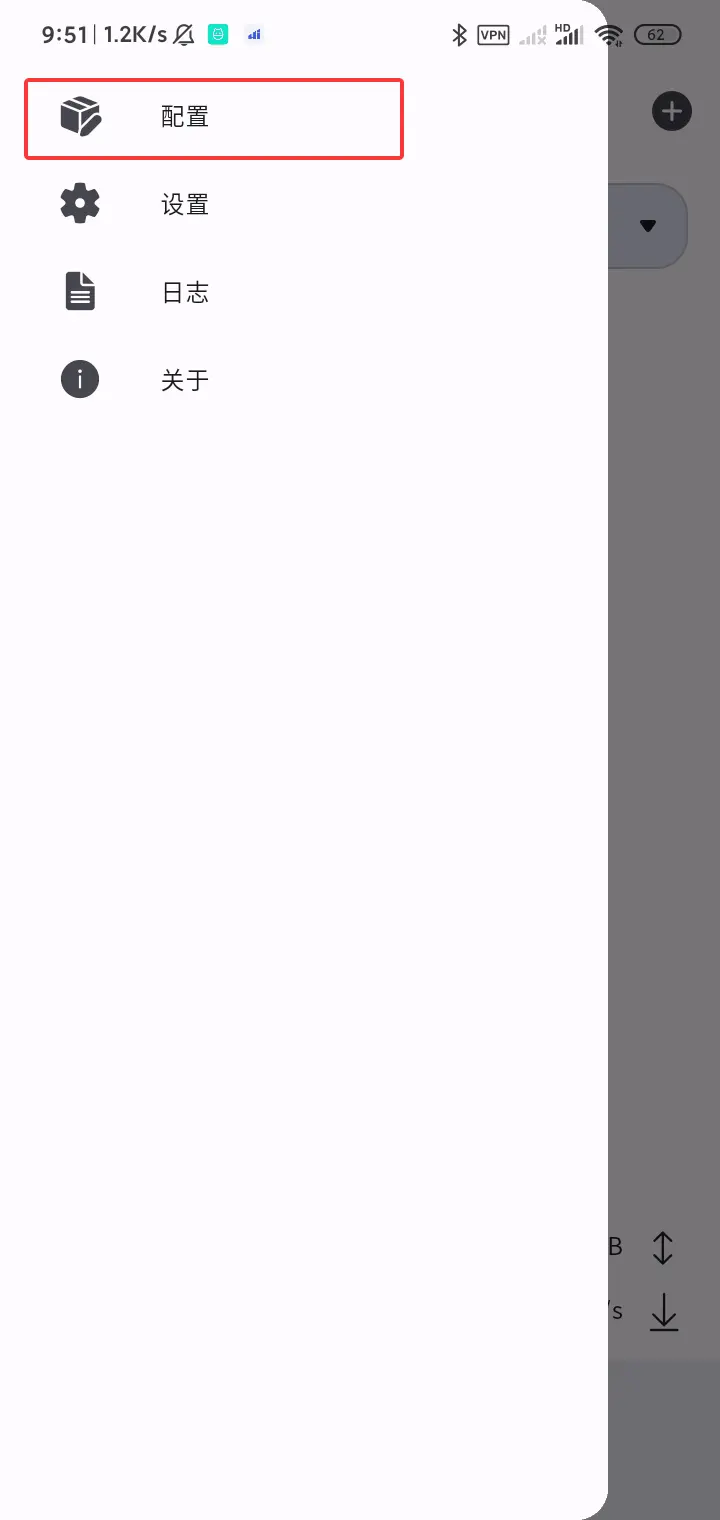
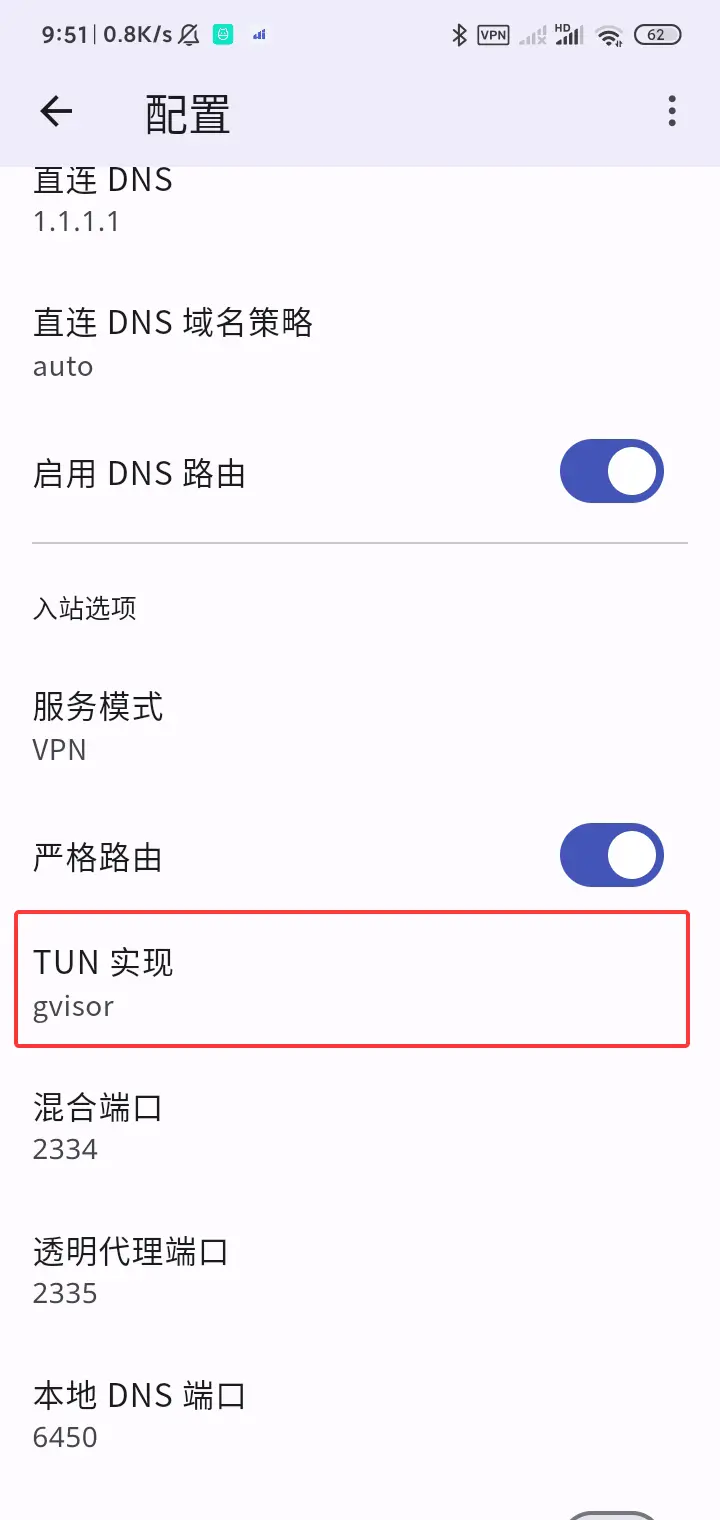
Open the network or advanced settings and enable TUN mode. Android may request VPN permission again.
If the configuration cannot be downloaded or the connection does not work, follow the troubleshooting guide.